 Futura
How to Make a Digital Time Capsule, Step by Step
A folder of old photos is an archive. A time capsule is different: chosen contents, a hard seal, and a fixed opening day. Here's how to build one properly.
What makes it a capsule and not a backup?
Three properties, and you need all of them: curation (a handful of things picked on purpose, not your whole camera roll), a seal (you can't edit or peek after closing it), and an appointment (a fixed date when it opens). Remove any one and the magic collapses — a browsable capsule gets stale from rereading, and an undated one never gets opened at all.
Step 1 — Pick the opening date first
The date determines the contents. A one-year capsule can be topical; a ten-year capsule should capture texture, not plans. Good anchors: a round birthday, a wedding anniversary, a child turning 18, New Year's Eve five years out, "exactly ten years from today". Write the date down before you collect a single item.
Step 2 — Collect with the 5-item rule
Fewer items, chosen harder. This checklist covers a whole life-moment in five slots:
| Slot | What | Why it ages well |
|---|---|---|
| 1. The letter | A written note to whoever opens it | Voice of the moment — see what to write |
| 2. The ordinary photo | Your kitchen, your street, your desk — not an event | Events get photographed anyway; Tuesdays vanish |
| 3. The voice note | 30–60 seconds of you (or a child, or both of you) talking | Voices change more than faces; audio is the strongest memory trigger |
| 4. The place | The exact location it was sealed | Standing there again on opening day is a free time machine |
| 5. The artifact | A screenshot: today's prices, your most-played song, the group chat name | Concrete numbers date a moment better than any description |
Step 3 — Write the letter last
Once the other four items are in, the letter stops needing to describe everything and can just talk. Address the person who'll open it — future you, both of you, your kid at 18 — and say the thing you'd want said to you.
Step 4 — Seal it somewhere you can't cheat
This is where DIY methods leak. A "don't open until 2031" folder in iCloud relies entirely on your discipline, and you will lose that bet some insomniac night in year two. Options, honestly compared: a scheduled email (text only, and it arrives whether or not you're ready), a lawyer-style sealed envelope with a USB stick (formats rot; USB-C won't read it in 2036), or a time capsule app that enforces the seal and delivers on the date. The app route is the only one that keeps multimedia together and makes peeking impossible — that enforced wait is the product. Our app comparison covers seven options if you want to shop around.
Step 5 — Tell one person it exists
Not what's inside — just that it exists and when it opens. It doubles the odds the opening becomes an occasion instead of a notification you swipe away in a supermarket queue.
Futura is the five slots, built in
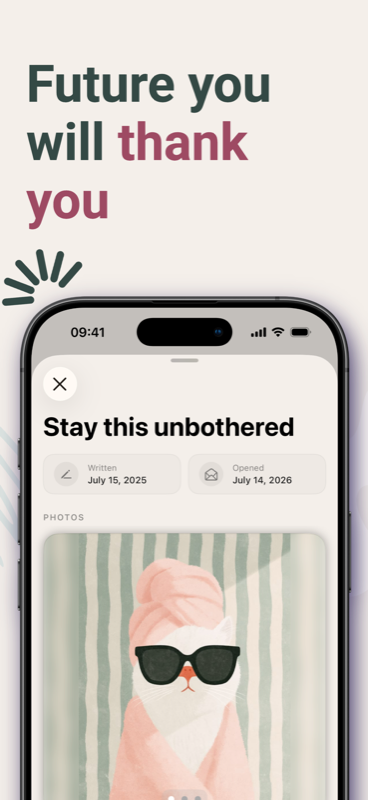
One capsule holds your letter, up to six photos, a voice note and the sealed-at location. Pick the date, seal it, and it blurs out until that day — no peeking, no edits. Written July 15, 2025. Opened July 14, 2026.
 Seal your first capsule — free
Common mistakes
- Stuffing it. Two hundred photos is a chore to open. Five items is a gift.
- Only capturing highlights. Your future self has the highlights memorized. Seal the mundane.
- Vague timing. "In a few years" is how capsules die. Calendar date, always.
- One giant capsule. Better: several small ones on a ladder — 1, 5 and 10 years — so opening capsules becomes a recurring ritual, not a once-a-decade event.